
Employee Card Manual Display
Add a listing of manually chosen Employee Cards to a page. Each Employee Card in a group is a separate piece of content.
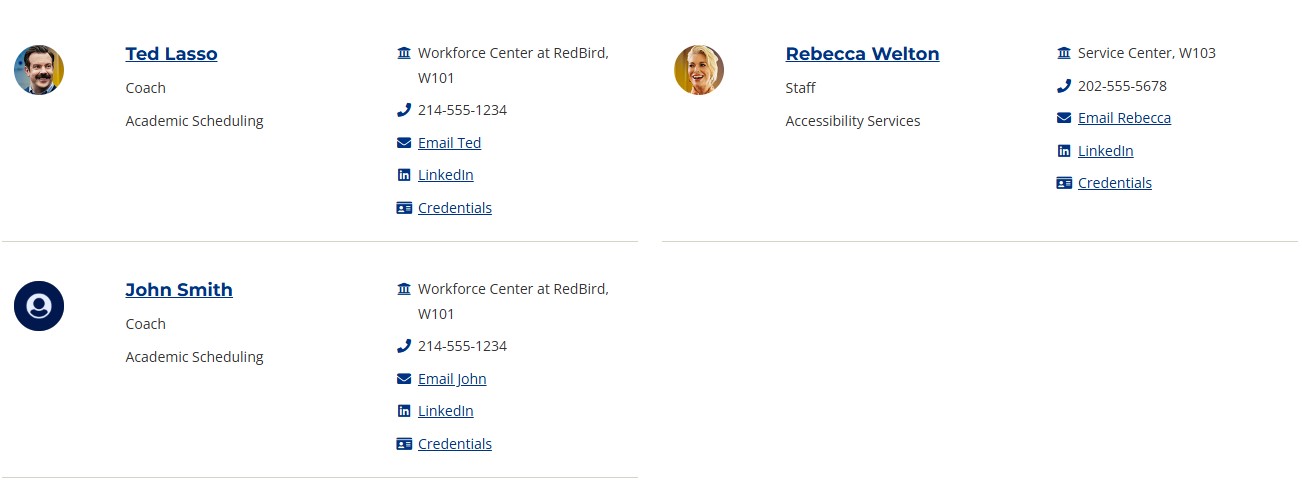
Screenshot showing example of Employee Card Manual Display content type.
Content Type Details
- ID: 504
- Name: Dallas - Employee Card Manual Display
- Minimum user level: Contributor
- Use with page layouts: Full Width, Page with Sidebar - in Main Body, Microsite, PPC Campaign - in Main Body, PPC Campaign - in Full Width
Text content can be added before and after the Employee Card Manual Display using the Single Column Block.
Content Type Elements Details
| Name | Description | Size | Type | Required | Conditionally Shown |
|---|---|---|---|---|---|
| Name | The Name Element | 80 Characters | Plain Text | Yes | No |
| Employee | Use the 'Add section link' button to select an Employee Profile sections from the Site Structure. Employee Profiles are located under the Employee Directory branch | N/A | Section/Content Link | Yes | No |
Example

Smitha Palliveettil
- Student Success Coach
- Success Coaching, Dual Credit- Assoc. Dean
- Richland
- 972-761-6802
- Email Smitha Palliveettil

Ray Smith
- Assistant Director
- Digital Engagement - Sr. Dir Eng - Tech Support
- Mountain View
- 214-860-2187
- Email Ray Smith