
End of Course Survey
End of course surveys give you an opportunity to share feedback about your courses, instructors and overall learning experience at Dallas College. Your feedback helps instructors improve their courses and teaching practices.
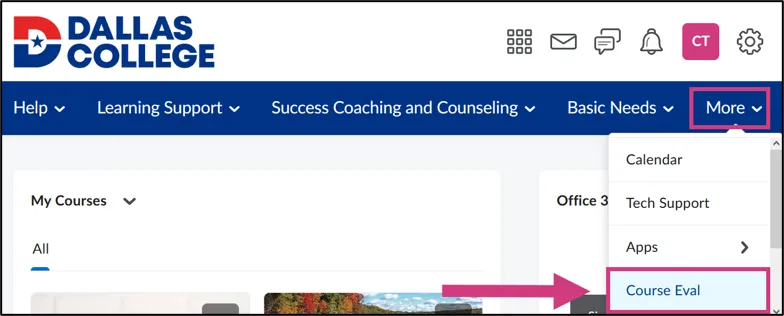
You can access end of course surveys from your eCampus homepage by selecting More and then Course Eval. Surveys can be completed on any device with internet access.
When the survey becomes available, you will receive an email notification. Please take a few minutes to share your feedback. By completing the survey, you help Dallas College and its instructors improve courses and enhance the overall student learning experience.
Your identity and responses will remain anonymous and confidential. Student names and other information are not associated with the surveys at any time, and results for the evaluations will not be available to instructors until after final grades have been submitted.
Complete a Course Evaluation
Follow these steps to complete the survey:
- Log in to eCampus.
- Click More on the main menu, then choose Course Eval.
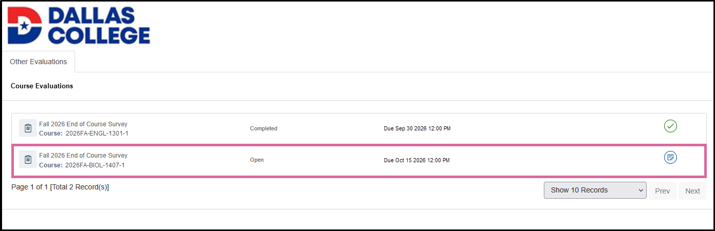
- Select the course you want to evaluate.
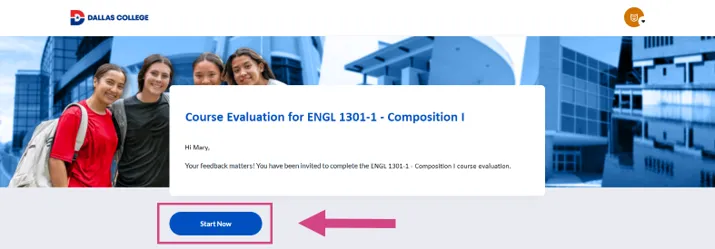
- Click Start Now to begin the survey.
- Complete each page of the survey and click Next to continue. Your responses will automatically be saved when you click Next.
If you leave the survey before submitting it, you can return any time during the survey period to continue where you left off.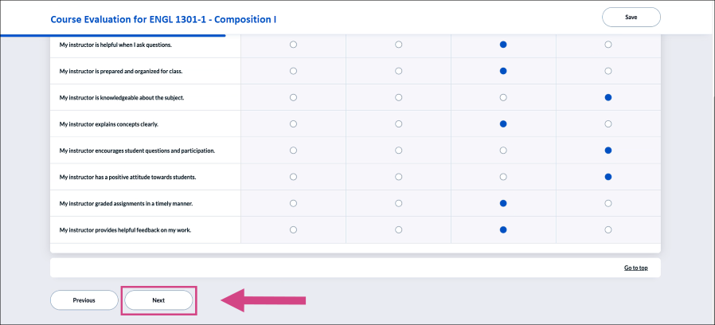
If you have saved progress, Start Now will be replaced with Continue. There is no limit to the number of times you can save. Just don’t forget to submit! - Review your response on the summary page, then click Submit to submit your survey.
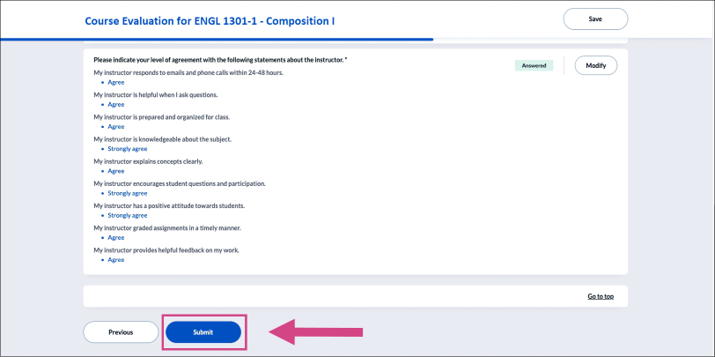
After you submit, a confirmation message will appear indicating that your responses were submitted successfully.
Edit a Submitted Evaluation
You can update your responses at any time while the survey is open.
To edit your responses:
- From your eCampus homepage, select More > Course Eval.
- Select a Completed survey.
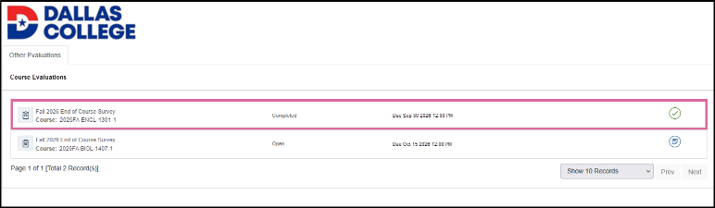
- You can update your responses until the survey closes.
Select Update to reopen the survey and make changes.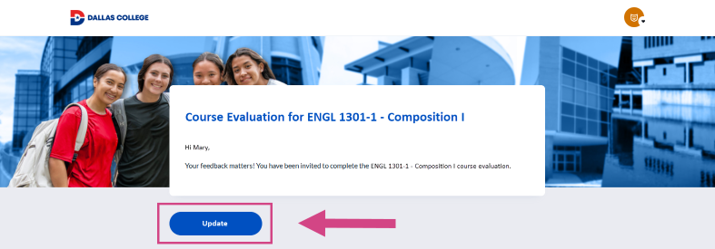
- Review your response and select Submit to save your changes. You will get a confirmation message indicating that your responses were submitted successfully.
Tips for Students
Are course evaluations anonymous?
Yes. All course evaluations are completely anonymous. Instructors cannot view survey results until after final grades have been submitted.
Can I submit or update an evaluation after the survey closes?
No. Once the survey closes, you can no longer submit or modify your evaluation. Closed surveys cannot be reopened for additional submissions or changes.
What is the deadline for completing a course evaluation?
The deadline to submit or update your course evaluation is noon on the last day of class. After the deadline, you will no longer be able to submit or make changes to your evaluation.
Need Help With Course Evaluations?
Contact Student Technical Support for assistance with course evaluations, eConnect, eCampus, Outlook and other college-supported software:
- 972-669-6402
- Toll–free: 866-374-7169